By Alex Tanoa · Updated
Email & Social Content
Email Launch Agent
Campaign brief + brand assets → a complete, ready-to-send email render per creative angle.
Best for: DTC brands, ecommerce brands running promo campaigns, fashion and apparel brands
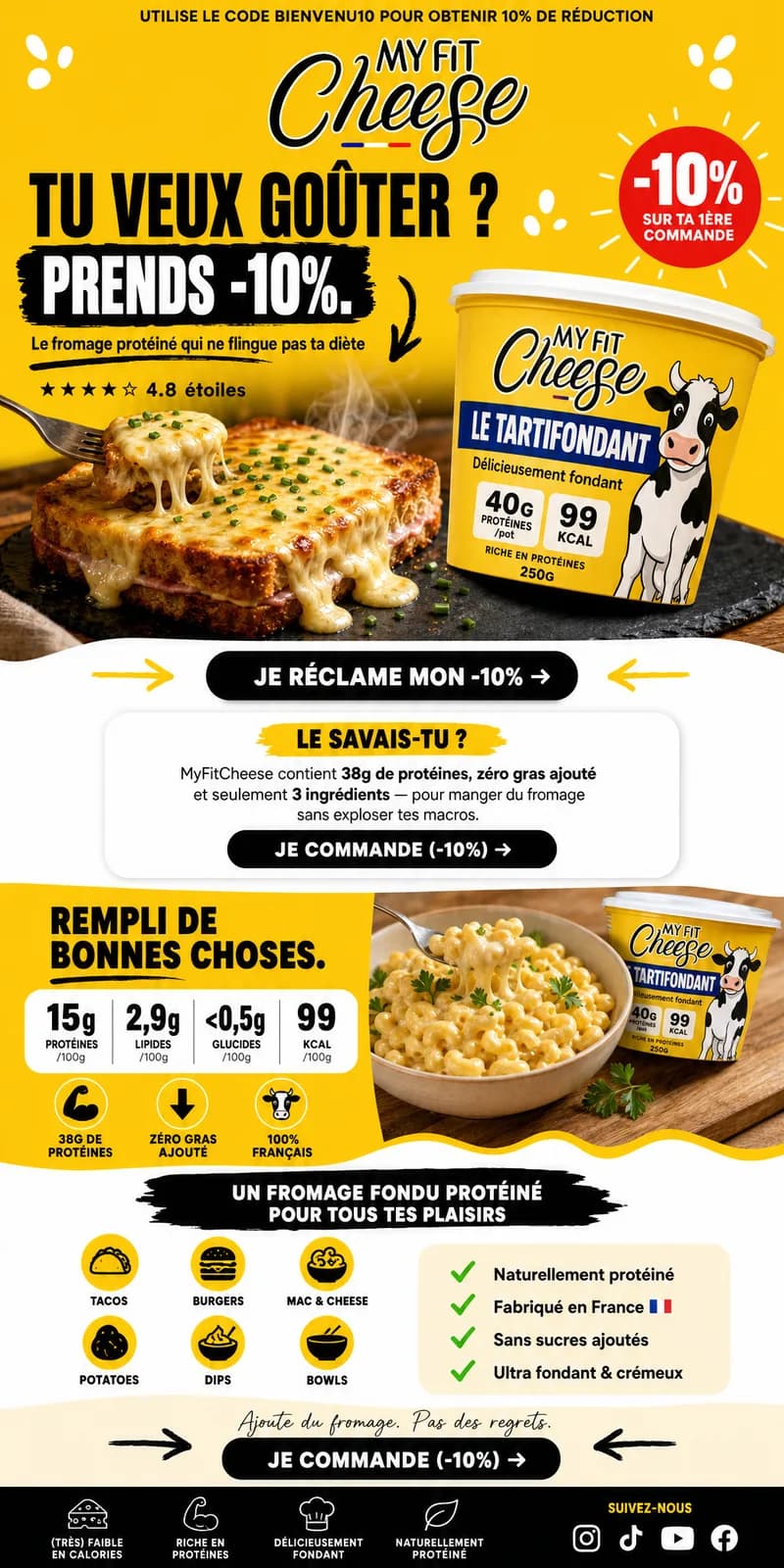
Give us your campaign brief, brand logo, two product images, visual references, wireframe, and creative angles. Claude Sonnet 4.5 writes the structured copy, seven Claude Haiku 4.5 extractors fan the fields out, Nano Banana 2 generates one hero and two product images, and a composition builder turns the brief into three angle-specific email prompts. GPT Image 2 then renders complete full-width portrait emails for Urgency, Exclusivity, and Performance. Built on ASRV's production pipeline and adaptable to any DTC or apparel brand.
What you provide
- Brand logo
- Product image 01 + Product image 02
- Campaign type (e.g. Promo Launch)
- Collection name + key products
- Urgency level + target segment
- Visual references + wireframe
- Creative angles (Urgency, Exclusivity, Performance)
What you get back
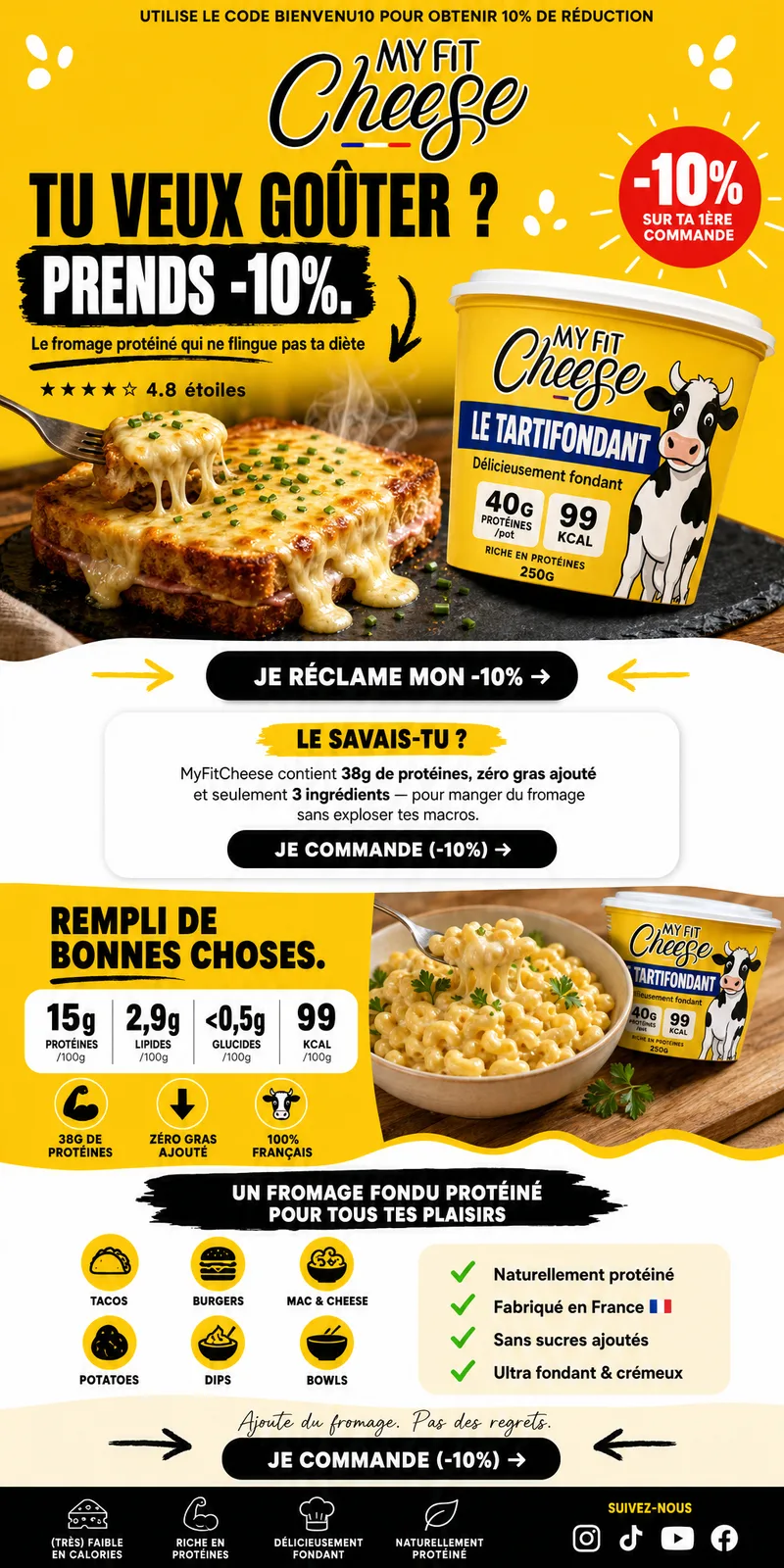
- Three full-width portrait, ready-to-send email renders — Urgency, Exclusivity, and Performance
- Copy per render: subject line, headline, body, CTA, urgency banner
- One generated hero image plus two generated product images reused across the angle-specific compositions
Output examples
- Launch Email
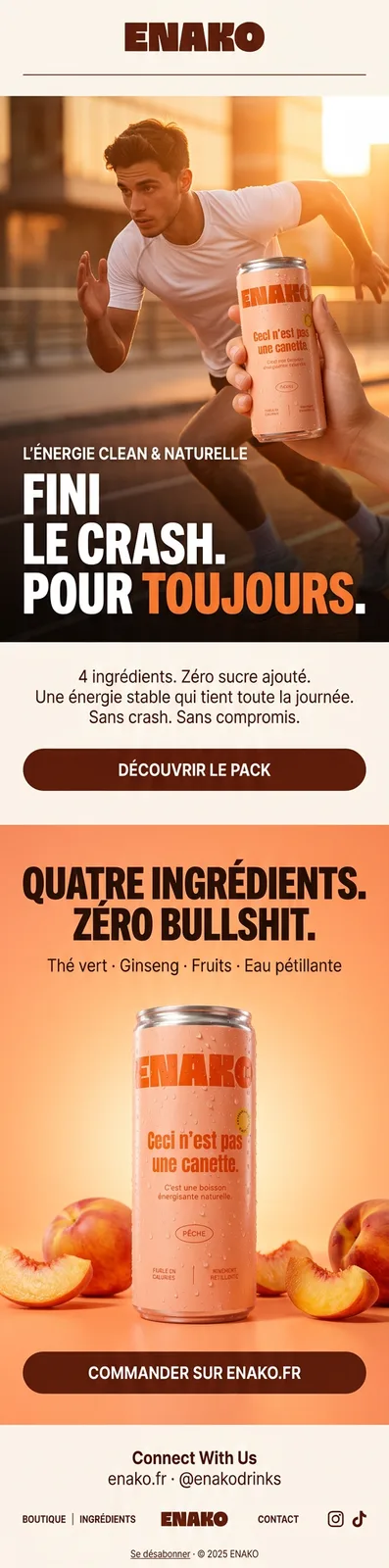
- Promo Email
Live as a scheduled campaign
How it works
Brand logo · Product image 01 + Product image 02 · Campaign type (e.g. Promo Launch)
Your brand rules, palette, product facts, and approved references — applied to every prompt in the run.
- 01Campaign Brief Assembly
- 023-Angle Copy Generation
- 03Field Extraction (Parallel)
- 04Visual Asset Generation
- 05Copy Field Formatting
- 06Composition Prompt Builder
- 07Angle Split
- 08Final Email Renders
Claude Sonnet 4.5 · Claude Haiku 4.5 · Nano Banana 2 +1
Automated evaluation pass against the brief.
Final output requires human approval before delivery.
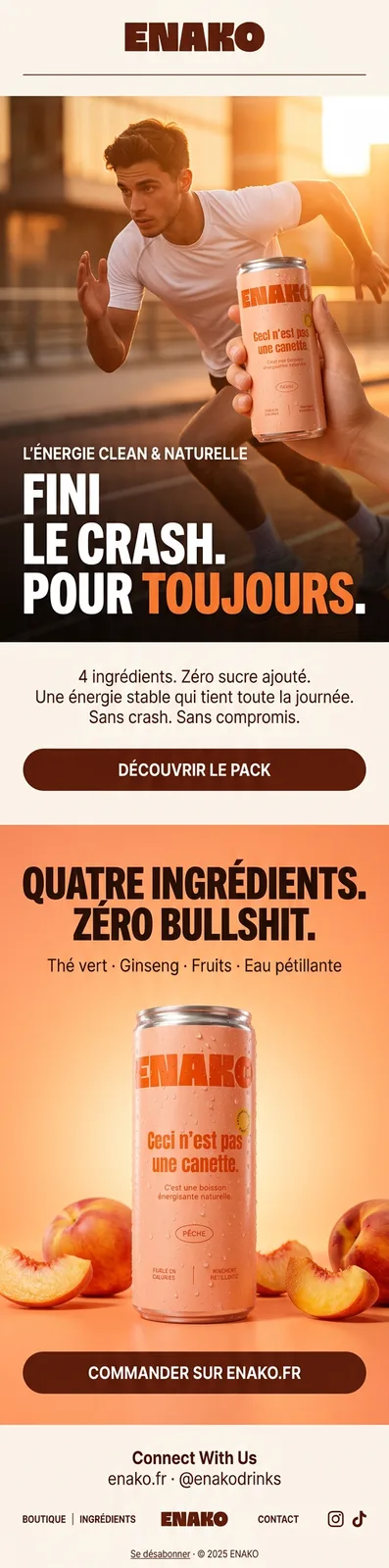
Three full-width portrait, ready-to-send email renders — Urgency, Exclusivity, and Performance
The path from supplied inputs to delivered output. Step details follow.
- 01
Campaign Brief Assembly
Campaign type, collection name, key products, urgency level, target segment, creative angles, brand identity, visual references, and wireframe are collected as structured inputs. These feed every downstream node — nothing is manually re-entered.
- 02
3-Angle Copy Generation
Claude Sonnet 4.5 reads the full brief and writes a complete JSON copy block covering all three angles — Urgency, Exclusivity, and Performance. Each block contains subject line, headline, body copy, primary CTA, urgency banner, hero image prompt, and two product image prompts.
- 03
Field Extraction (Parallel)
Seven Claude Haiku 4.5 extractors isolate the hero prompt, two product prompts, headline, body copy, primary CTA, and urgency banner into clean outputs for the image and composition nodes.
- 04
Visual Asset Generation
Nano Banana 2 generates one 16:9 hero image and two 1:1 product images in parallel from the extracted prompts and supplied product references.
- 05
Copy Field Formatting
Claude Haiku 4.5 cleans and formats the extracted copy fields into a structured block ready for layout assembly.
- 06
Composition Prompt Builder
Claude Sonnet 4.5 combines the formatted copy, product context, visual references, and wireframe into three detailed full-width portrait composition prompts — one for each creative angle.
- 07
Angle Split
The three composition prompts are separated so each can feed its own final render branch without changing the approved copy or generated product imagery.
- 08
Final Email Renders
GPT Image 2 renders the Urgency, Exclusivity, and Performance emails in parallel with live copy, the generated hero, both product images, brand logo, and wireframe layout guidance fully assembled.
Brand, factual, and quality controls
- Automated evaluation pass against the brief.
- Human quality review before delivery.
What this workflow does not automate
- Requires approved product or brand source assets as input — does not originate new photography or footage from scratch.
What you own
- Provide source product images or footage.
- Review and approve outputs before publish.
Typical turnaround
Illustrative ranges based on comparable production work, not a guaranteed delivery time. Actual turnaround is scoped per engagement.
Operating evidence
No measured performance results are published for this workflow. The images above show production outputs.
Frequently asked questions
Prove this workflow on one bottleneck
Bring one recurring production task and your approximate monthly volume. You leave with a fit decision, not a custom architecture session.
Book a strategy call