InfuseLab Operator
Most ecom brands don’t have an AI problem.
They have a pipeline problem. Fresh context every run. Same library forever. That’s the difference between a clever prompt and an operating system.
Fresh brain. Same library.
Three commands. Nine agents. Files as source of truth. A human gate on the queue, so the voice compounds and the window stays clean. Every post ships with its own visual and an X and Threads version.
Bring your niche and posting habits. We’ll show where LinkedIn OS plugs in.
Or get your free Agent Map →3
Commands
9
Agents
1
Human gate
Re-paste last week into the chat until the window rots.
Voice drifts across drafts, or you babysit every line.
More volume means more hands, or one founder’s whole week.
No standing backlog. Every Sunday starts blank.
Winners disappear into the feed. Nothing compounds.
The strategy was never the problem. Shipping the week, every week, is.
One fixed sequence. Nothing improvised between steps.
Setup once
› Brand DNA?
→ Voice, rules, forbidden words locked
› Cadence?
→ 5 posts / week
› Publish mode?
→ Human gate only, never auto
✓ Library rails locked for every future run.
StrategyPlanner builds a five-post calendar from brand DNA, backlog, published archive, and competitor signals, then stops.
ToneDirector confirms the archetype. HookEngineer scores five scroll-stopping openings against specificity and ICP fit.
PostDrafter writes full drafts under 200 words, zero forbidden words, self-checked before handoff.
QualityGate returns APPROVED or REVISION REQUIRED with exact rewrite instructions. Max two cycles, then it stops.
SocialDesigner builds one visual for each approved post: an image, an animated card, or an avatar carousel. The plan picks the format for each post. A Canva post gets a visual list for you to build from.
A repurpose agent turns each approved post into a thread for X and a thread for Threads. It keeps the same words, so the voice stays yours. These go out in their own step, so LinkedIn publish never sends them.
PublishFormatter queues the ready posts. Nothing ships on automation alone. You confirm Publish, and you confirm the X and Threads queue on its own.
You plan.
You approve.
You publish.
That’s it.
OS queue on the left. Simulated feed on the right. Animated card renders. Every card either published or waiting on the human gate.
InfuseLab Operator
Most ecom brands don’t have an AI problem.
They have a pipeline problem. Fresh context every run. Same library forever. That’s the difference between a clever prompt and an operating system.
InfuseLab Operator
Five posts. One human gate.
Strategy plans the week from brand DNA and backlog. Critic scores the drafts. Nothing hits the feed until you confirm Publish.
InfuseLab Operator
The library is the moat.
A competitor can copy a prompt. They can’t copy forty weeks of your voice, your winners, and your backlog sitting on disk.
InfuseLab Operator
Stop choosing between volume and voice.
Nine agents. Three commands. Files as source of truth. The chat window is not the system of record.
InfuseLab Operator
Sunday shouldn’t start blank.
Performance digest from last week bends next week’s calendar. The OS remembers what landed. You keep the strategy.
Simulated LinkedIn feed for immersion. Animated card renders, demo copy. Not connected to a live LinkedIn account.
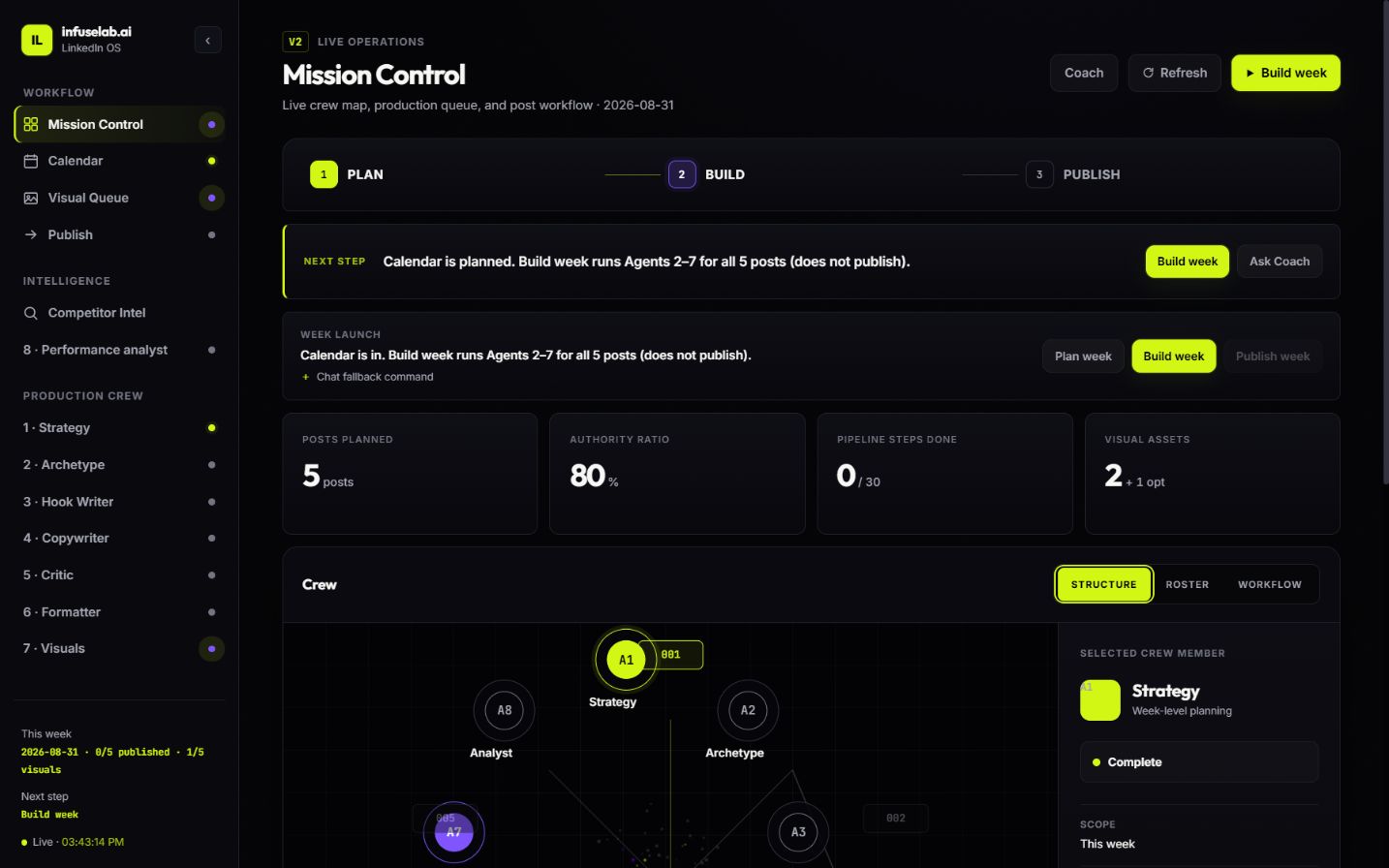
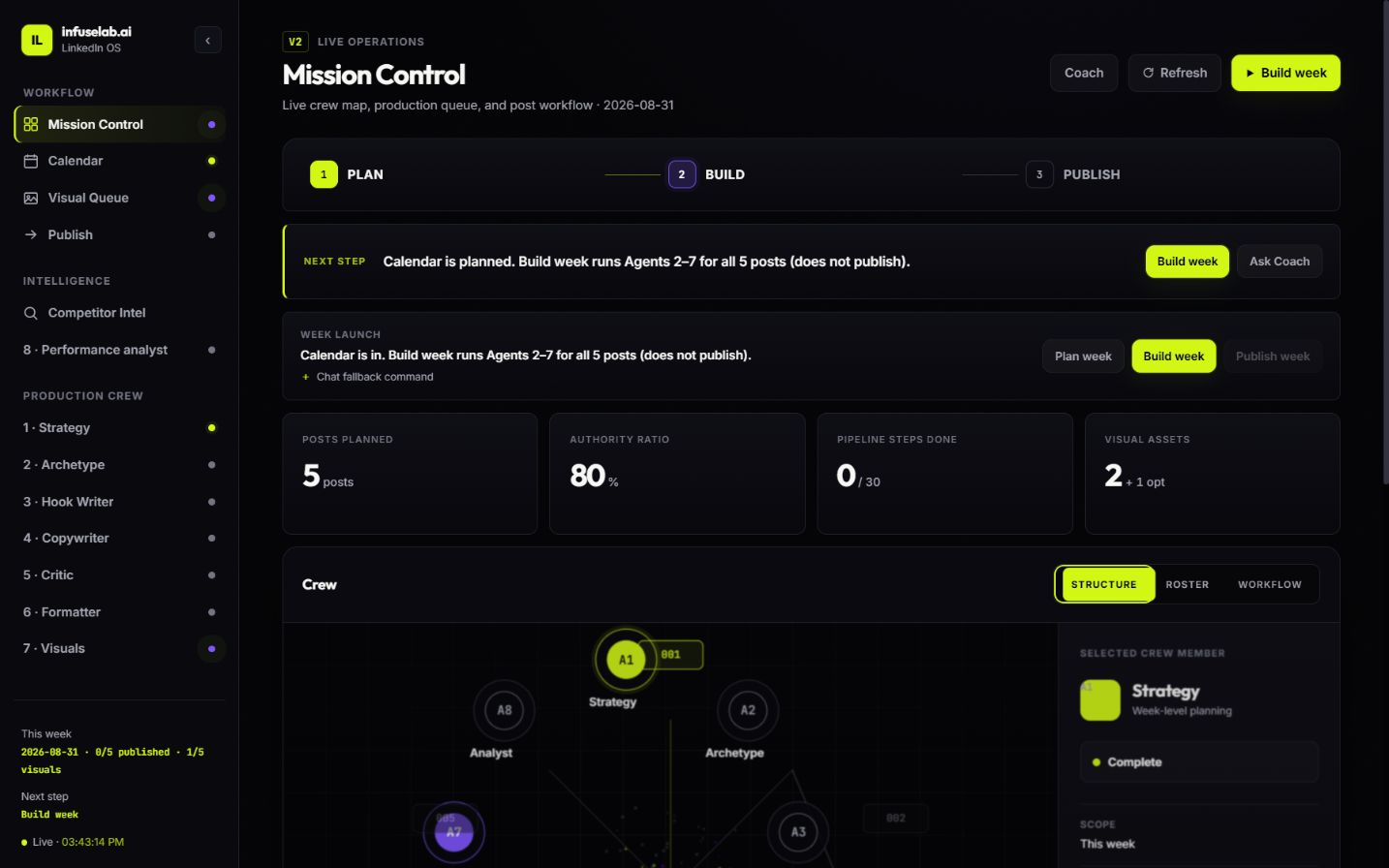
No recording. This is a live, click-through capture of the actual LinkedIn OS operating surface. Plan week, Build week and Publish week are three buttons. Build shows a cost estimate and a spending cap before it runs.
Five posts planned from your library, not a blank Sunday.
Critic-gated copy under 200 words, voice rules held.
An image, an animated card, or an avatar carousel, picked per post. Never a prompt suggestion.
Each approved post becomes a thread with the same words. You queue them in a separate step.
Approved posts wait at their planned time. Nothing goes out until you say so.
Last week’s numbers bend next week’s plan.
Why not keep prompting by hand?
Chat paste
This OS
For
Not for
Yes. LinkedIn OS is for operators who already have pillars, an offer, and a point of view. It ships the week. It does not invent the strategy.
No. Ever. The critic gate runs first, then a human confirms Publish. The queue waits. X and Threads have their own confirm step.
One for every post. The plan picks the format: a branded image, an animated card, or an avatar carousel. Cards are built in code, so they cost no image credits. A Canva post gets a visual list for you to build from. Every build shows a cost estimate and a spending cap first.
Yes, as a separate step. An agent turns each approved post into a thread for each platform, using the same wording. You queue them on their own, and LinkedIn publish never sends them.
It starts with safe default times. A platform switches to its own best times only after you have 20 or more posts there and a clear lift. Other people’s data never turns it on.
Brand DNA, idea backlog, published archive, performance digest, and lead magnets, files on disk that compound every week. A competitor can copy a prompt. They can’t copy forty weeks of your voice.
Five by default: authority-first mix, reweighted by real engagement. Cadence is a locked rail, not a weekly debate.
No. Fresh context every run, standing files as source of truth, nine specialised agents, and a hard human gate. The chat window is not the system of record.
Founders and operators already posting with a clear niche, brand DNA, and proof. Not for people still deciding what to post about.
Thirty minutes. We’ll look at your voice, your posting habits, and where LinkedIn OS actually plugs in.
Book a strategy callNo pitch deck. No proposal. Not fully set up yet? Same call covers a setup week first.
Not ready to talk? Get your free Agent Map →By Alex Tanoa · Updated