Video Production
Moodboard Ads for Promotional Events
Product + event → storyboard + promo video. Ready before the sale starts.
Best for: Seasonal campaign teams, social media managers, retail brands
Halloween, Black Friday, Christmas, Valentine's Day — drop a product image and pick the event. The pipeline builds a 4-scene storyboard, renders each scene with Seedance 2.0, assembles the video, and overlays your CTA. Launch-ready the same day you brief it.
What you provide
- Product image
- Event type (Halloween / Christmas / Black Friday / etc.)
- CTA text
What you get back
- 1 multi-scene creative storyboard
- 4 cut lengths of the promo video (teaser, hero, countdown, reveal), MP4
Real outputs
- Storyboard
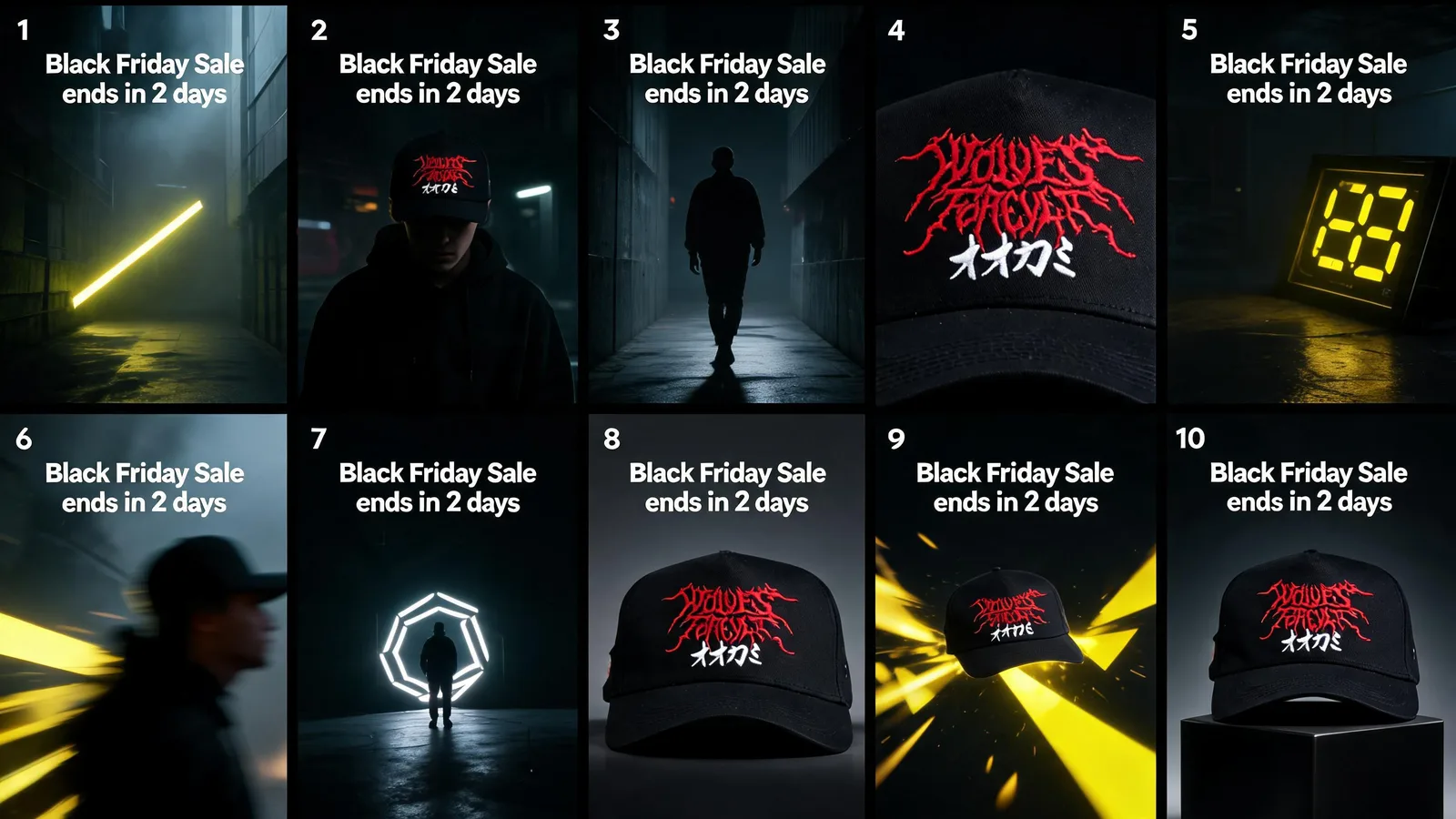
- Turn your sound on to hear the audioTeaser
- Turn your sound on to hear the audioHero Cut
- Turn your sound on to hear the audioCountdown
- Turn your sound on to hear the audioReveal
Live across placements
How it works
Product image · Event type (Halloween / Christmas / Black Friday / etc.) · CTA text
Your brand rules, palette, product facts, and approved references — applied to every prompt in the run.
- 01Event Theming
- 02Storyboard Generation
- 03Scene Rendering ×4
- 04Video Assembly
- 05CTA Overlay
Seedance 2.0 · GPT-4o creative direction
Automated evaluation pass against the brief.
Final output requires human approval before delivery.
1 multi-scene creative storyboard
The bounded path every run follows — your inputs in, the real delivered output on the right. Step detail below.
- 01
Event Theming
GPT-4o selects visual motifs, colour palettes, and narrative beats appropriate for the chosen promotional event.
- 02
Storyboard Generation
4-scene storyboard created with shot descriptions, product placement notes, and emotional arc.
- 03
Scene Rendering ×4
Each storyboard scene rendered individually using Seedance 2.0 with event-appropriate lighting and atmosphere.
- 04
Video Assembly
Scenes assembled into four cut lengths — teaser, hero, countdown, and reveal — with paced transitions timed to typical ad-break rhythms.
- 05
CTA Overlay
Brand CTA text and logo overlaid with motion treatment; final export in ad-ready formats.
Brand, factual, and quality controls
- Automated evaluation pass against the brief.
- Human quality review before delivery.
What this workflow does not automate
- Requires approved product or brand source assets as input — does not originate new photography or footage from scratch.
What you own
- Provide source product images or footage.
- Review and approve outputs before publish.
Typical turnaround
Illustrative ranges based on comparable production work, not a guaranteed delivery time. Actual turnaround is scoped per engagement.
Operating evidence
Verified operating evidence for this workflow is not yet published. Outputs shown above are real production results.
Related workflows
- Video Production
AI Clothing & Fashion Video (I2V)
Model images → cinematic fashion clips. No camera, no studio.
- Video Production
AI Clone Talking Head Videos
A topic and a character sheet → 3 cinematic talking head videos. Zero camera time.
- Video Production
UGC Ad Video Creator
Brand name + product URL → a complete UGC ad. 4 inputs, no shoot.
Part of the Creative Production System.
Frequently asked questions
How far in advance should we brief for seasonal campaigns?
With same-day turnaround, even 24 hours before launch is workable — though earlier briefing allows for more iteration.
Can the video include licensed music?
Yes. Renders auto-insert a vibe-matched bed from the Viral 60 background music library (60 trendy, royalty-clear tracks). Client-supplied tracks can still be integrated on request.
Prove this workflow on one bottleneck
Bring one recurring production task and your approximate monthly volume. You leave with a fit decision, not a custom architecture session.
Book a strategy call